The Employees’ Provident Fund (EPF) is an essential social security initiative by the Employees’ Provident Fund Organisation (EPFO) in India. It serves as a long-term savings scheme designed to ensure financial stability for employees upon retirement. Employees and employers jointly contribute to this fund every month. It’s important for individuals to track their PF balance regularly to understand the growth of their retirement savings. One of the simplest ways to monitor your PF balance is by using your registered mobile number. In this article, we will walk you through the process of how to check your PF balance using your registered number while discussing key aspects like the PF formula.
Understanding the PF Formula: What Does Your PF Balance Include?
Before diving into how to check PF balance, let us first understand how your PF amount is calculated. A standard PF account comprises contributions from two parties:
- Employee’s Contribution: 12% of the employee’s basic salary and dearness allowance (DA) is deducted for their PF contribution.
- Employer’s Contribution: Similarly, an employer also contributes 12% of the employee’s salary, but this amount is divided into two parts:
- 8.33% goes to the Employee Pension Scheme (EPS) (subject to a salary cap of ₹15,000 per month).
- The rest, 3.67%, is credited to the employee’s EPF account.
Illustration of PF Calculation
For example, if an employee’s monthly basic salary is ₹20,000:
- Employee’s Contribution: 12% of ₹20,000 = ₹2,400
- Employer’s Contribution:
- EPS = 8.33% of ₹15,000 (capped limit) = ₹1,249.50
- EPF = 3.67% of ₹20,000 = ₹734
- Total Monthly Contribution to PF Account: Employee’s contribution + Employer’s EPF contribution = ₹2,400 + ₹734 = ₹3,134
The interest on the accumulated balance is calculated yearly at the declared EPFO rate, currently around 8.15% (as per FY 2022-23).
Why Checking PF Balance is Important?
It is crucial to review your PF balance periodically to evaluate how your retirement savings are progressing over time. Regular balance checks help:
- Identify discrepancies in employer contributions.
- Track whether interest is being credited on time.
- Plan your financial future with accurate data.
Checking your PF balance using your registered mobile number is a straightforward process. With digitization, EPFO allows employees to check their balance using methods such as SMS, missed calls, or the UMANG App. Let us explore these methods step by step.
Methods to Check PF Balance Using Registered Number
1. Check PF Balance via SMS
The EPFO enables subscribers to check their balance via SMS. Here’s how you can use this service:
- Ensure that your Aadhaar, PAN, and bank details are linked to your UAN (Universal Account Number) and activated.
- Use the mobile number registered with your UAN.
- Send an SMS to 7738299899 in the below format:
- Type: EPFOHO <UAN> <Language Code>
- Language codes include “ENG” for English, “HIN” for Hindi, etc. For instance, if you prefer English, type EPFOHO 123456789012 ENG and send it to 7738299899.
- Once sent, you will receive an SMS containing your updated PF balance details, along with the contribution breakdown.
Do note that this SMS-based service is supported in multiple languages, ensuring accessibility for individuals from various regions across India.
2. Check PF Balance Through Missed Call Service
A missed call service is another easy way to check your PF balance. Follow these steps:
- Make sure that your Aadhaar number, PAN, and bank account are linked to your UAN.
- Dial 011-22901406 from your registered mobile number.
- After a few rings, the call will automatically disconnect, and a confirmation SMS, including the details of your PF balance, will instantly be sent to your registered mobile number.
This method is very convenient as it does not require an active internet connection. Furthermore, it is free of charge; you only need to make a simple missed call to get the details.
3. Check PF Balance Using the UMANG Mobile App
The UMANG app (Unified Mobile Application for New-age Governance) supports multiple services offered by the EPFO. Here’s how to check your PF balance using this app:
- Download and install the UMANG app from Google Play Store or App Store.
- Open the app and register your mobile number.
- Navigate to the EPFO section within the app.
- Tap on Employee-Centric Services.
- Select View Passbook.
- Log in using your UAN and OTP sent to your registered mobile number.
- Your PF balance and passbook containing contribution details and transaction history will be displayed.
The app provides easy access to concise PF data, making it user-friendly and efficient.
4. Check PF Balance via the EPFO Portal
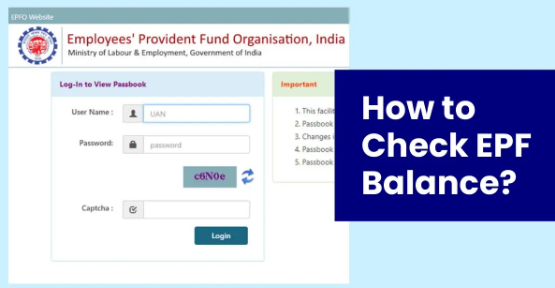
While the central focus of this article is to discuss balance checks via registered mobile numbers, it’s vital to highlight the EPFO portal as an option. Employees can log in to the EPFO Member Portal using their UAN and password to check their balance and view additional details about their contributions.
Things to Remember When Checking PF Balance
- Always ensure that your UAN is activated and that relevant documents (Aadhaar, PAN, and bank details) are linked to it.
- Your mobile number must match the registered number in the EPFO records.
- Keep your UAN credentials secure to prevent unauthorized access to your PF account.
- Be mindful of any changes to PF contribution rules or interest rates announced under the EPFO scheme.
Commonly Asked Questions
- Can I check my PF balance if I have changed my mobile number?
If your current number is no longer registered against your UAN, the services (missed calls, SMS) will not work. To update your number, log in to the EPFO Member Portal and update your contact information.
- What if I don’t receive the SMS after sending the message to 7738299899?
Double-check that you’ve sent the SMS in the proper format using your registered number. Also, ensure that your UAN is active and linked with the necessary KYC details.
- How to access detailed statements of my PF balance?
You can download detailed statements by visiting the EPFO website, logging into your account, and downloading your passbook.
Summary
Monitoring your provident fund (PF) savings has become seamless due to the simple, digitized systems offered by the EPFO. There are four primary methods of checking your PF balance. This includes sending an SMS in the format ‘EPFOHO <UAN> <Language Code>’ to 7738299899, providing quick details of your accumulated corpus. Alternatively, you can avail of the EPFO’s missed call service by dialing 011-22901406 from your registered mobile number. For a more detailed insight, consider registering on the UMANG app or logging in to the EPFO’s official website to access your passbook. Your PF balance reflects contributions from both employer and employee, calculated using the PF formula. For instance, if your basic salary is ₹20,000, the total monthly contribution to your PF account could be ₹3,134 based on current rules.
While checking your PF contributions is crucial for financial planning, always ensure that your UAN is active, your mobile number is registered, and your KYC documents are updated. Follow secure practices to prevent unauthorized access to your crucial financial data. As always, individuals are strongly encouraged to weigh all factors before making decisions related to the financial market.
Disclaimer
The above information is intended solely for informational purposes and does not constitute financial or investment advice. Employees and investors are advised to thoroughly analyze the terms, contributions, benefits, and risks associated with participating in the Employees’ Provident Fund Scheme or trading in the Indian financial market.