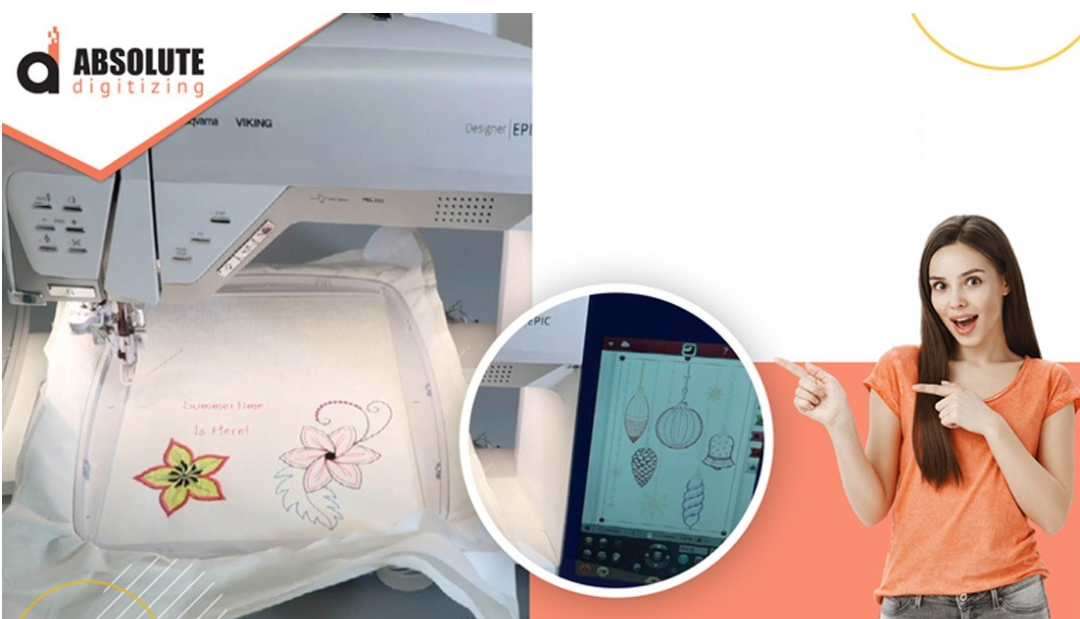
Learn how a HUS File Converter works, why it matters for embroidery machines, and how to convert HUS embroidery files quickly and accurately.
HUS File Converter: Complete Beginner’s Guide
Ever downloaded an embroidery design only to realize your machine won’t read the file? It’s one of the most frustrating moments for embroidery beginners and even experienced users.
That’s where a HUS File Converter becomes a lifesaver.
Whether you’re working on custom embroidery, logos, or personal projects, converting embroidery files correctly is essential. A small file issue can turn a beautiful design into a stitching disaster.
In this guide, you’ll learn what HUS files are, how a HUS file converter works, why file conversion matters, and how to avoid common embroidery mistakes. If you want smoother embroidery results and fewer machine errors, this article is for you.
What Is a HUS File?
A HUS file is a machine embroidery file format commonly used for embroidery designs. It contains stitch data, thread colors, design paths, and machine instructions needed for embroidery machines to stitch properly.
Unlike regular image files like JPG or PNG, embroidery files are built specifically for stitching machines.
A HUS file usually includes:
- Stitch coordinates
- Needle sequence
- Thread color information
- Design layout
- Machine instructions
Without the correct format, embroidery machines cannot understand the design properly.
What Is a HUS File Converter?
A HUS File Converter is a tool that changes HUS embroidery files into other embroidery formats compatible with different embroidery machines or software.
Think of it like translating languages.
Just as a translator converts English into Spanish, a file converter changes HUS files into formats another machine can read.
Common embroidery file conversions include:
- HUS to DST
- HUS to PES
- HUS to EXP
- HUS to JEF
This helps embroiderers use the same design across different machines and embroidery systems.
Why Embroidery File Conversion Matters
Many embroidery machine owners assume all embroidery files work universally. Unfortunately, that’s not how embroidery software works.
Different machines support different formats.
Without proper conversion, you may face:
- Design distortion
- Missing stitches
- Thread break issues
- Machine reading errors
- Incorrect sizing
A reliable HUS file converter ensures the embroidery design stays clean and stitch-ready.
How a HUS File Converter Works
The conversion process is actually simple.
Step 1: Upload the HUS File
Import your embroidery design into conversion software.
Step 2: Select the Output Format
Choose the file type your embroidery machine supports.
Examples:
- DST
- PES
- VP3
- EXP
Step 3: Adjust Design Settings
Some software allows you to:
- Resize the design
- Change thread colors
- Edit stitch density
- Optimize stitch paths
Step 4: Save and Export
The converted file is saved in the selected embroidery format.
Always test the design before full production.
Common Embroidery Formats Explained
Understanding embroidery formats makes file conversion easier.
HUS Format
Used for embroidery stitch data and machine instructions.
DST Format
A popular commercial embroidery format known for compatibility.
PES Format
Commonly used in home embroidery machines.
JEF Format
Designed for specific embroidery machine compatibility.
EXP Format
Used for industrial and commercial embroidery workflows.
Each format stores stitch information differently, which is why proper conversion matters.
Benefits of Using a HUS File Converter
Using the right converter can save hours of frustration.
Better Machine Compatibility
You can use designs across multiple embroidery systems.
Faster Workflow
Quick conversion means less downtime and more productivity.
Improved Design Accuracy
Good conversion software maintains stitch quality and alignment.
Easier Design Sharing
Convert files for clients, embroidery shops, or team collaboration.
Common Problems During File Conversion
Even with modern embroidery software, issues can happen.
Design Distortion
Cause
Improper scaling during conversion.
Solution
Resize designs carefully using embroidery software instead of automatic scaling.
Missing Stitch Details
Cause
Unsupported stitch commands during conversion.
Solution
Use professional embroidery editing tools for cleaner output.
Thread Color Changes
Cause
Different software interprets thread charts differently.
Solution
Double-check thread mapping before stitching.
Tips for Better HUS File Conversion
Here are a few practical tips to improve embroidery results.
Always Keep the Original File
Never overwrite your source file. Keep backups before conversion.
Test Stitch Every Design
Even perfectly converted files should be tested on scrap fabric first.
Avoid Extreme Resizing
Large size changes can affect stitch quality.
Use Quality Digitizing
Poorly digitized files often create problems during conversion.
At Absolute Digitizing, embroidery files are prepared carefully to maintain stitch quality across multiple embroidery formats.
Best Practices for Embroidery File Management
Organized embroidery files save time and reduce mistakes.
Create Separate Folders
Organize files by:
- Customer
- Machine type
- Design category
- File format
Rename Files Clearly
Avoid confusing file names like “design1_final_new.”
Use names like:
- company-logo-PES
- floral-design-HUS
Store Backup Copies
Cloud storage and external drives help protect important embroidery files.
How Professional Digitizing Improves Conversion Results
File conversion works best when the original embroidery file is digitized properly.
Professional digitizing improves:
- Stitch direction
- Underlay quality
- Density balance
- Machine readability
Clean digitizing creates smoother conversions with fewer production errors.
That’s why many embroidery businesses trust services like Absolute Digitizing for production-ready embroidery files.
Conclusion
A HUS File Converter is an essential tool for anyone working with machine embroidery designs. It helps bridge the gap between embroidery formats and ensures your machine can read designs correctly.
From reducing machine errors to improving workflow efficiency, proper file conversion plays a major role in embroidery success.
Whether you’re converting files for home projects or commercial embroidery production, understanding embroidery formats and conversion basics can save time, thread, and frustration.
And when paired with professional-quality digitizing from Absolute Digitizing, your embroidery files become cleaner, more accurate, and easier to stitch.
FAQs
What is a HUS file in embroidery?
A HUS file is an embroidery machine file format that contains stitch data, thread colors, and machine instructions for embroidery designs.
Can I convert HUS files to other embroidery formats?
Yes. A HUS File Converter can change HUS files into formats like DST, PES, EXP, and JEF.
Why is my converted embroidery file not stitching correctly?
This can happen because of poor digitizing, incorrect resizing, or unsupported stitch settings during conversion.
Does converting embroidery files reduce quality?
If done properly, quality loss is minimal. However, extreme resizing or poor software can affect stitch accuracy.
Do I need professional digitizing before file conversion?
Professional digitizing improves stitch quality and helps embroidery files convert more smoothly across different machine formats.